Termius Broadcast Input
Running the same command on multiple GPU servers is a common need. For example, batch updating systems, deploying training environments, or checking status. Opening many terminal windows one by one is inefficient.
Broadcast Input Feature
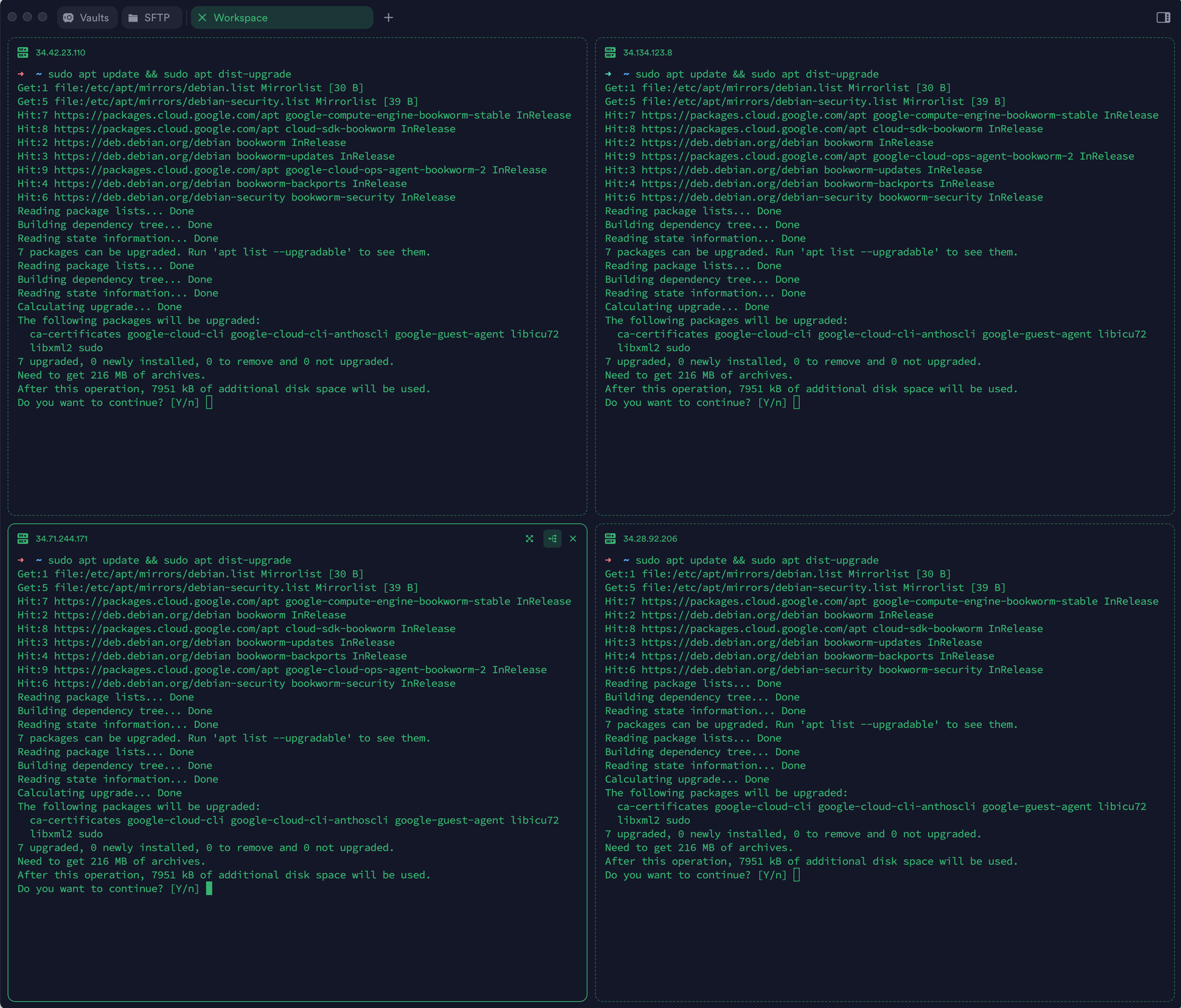
I recently discovered that Termius’s broadcast input feature can send my keyboard input to multiple terminals at once. After opening several SSH connections in split‑screen view and enabling broadcast input, a single command entry is executed on all servers simultaneously, and the results are displayed.
Practical Applications
Bulk Environment Deployment
# Install deep learning environment on 8 servers simultaneously
conda create -n expname python=3.9 -y
conda activate expname
pip install torch==2.0.1 transformers datasets
Bulk Status Check
# Check GPU usage on all servers simultaneously
nvidia-smi

# Continuously monitor system information
dool -cdngyltm --disk-util --disk-tps --fs 1
File Operations
# Bulk create experiment directories
mkdir -p runs/qwen_$(date +%Y%m%d)

# Bulk clean logs
rm -rf runs/*/logs/*.log
Some Details
- A single view supports up to 16 endpoints
- Broadcast can be turned on or off at any time
- You can switch to single‑terminal operation via focus mode
Precautions
- Each terminal processes at different speeds; wait for all terminals to finish the previous command before entering the next one.
- Be aware that configurations may differ across servers (CUDA version, paths, etc.)
Other Options
- pssh: suitable for scripted batch operations
- tmux synchronize-panes: terminal‑based alternative
- ansible: complex configuration management
When managing model training across multiple devices simultaneously, Termius’s feature is simple and practical.